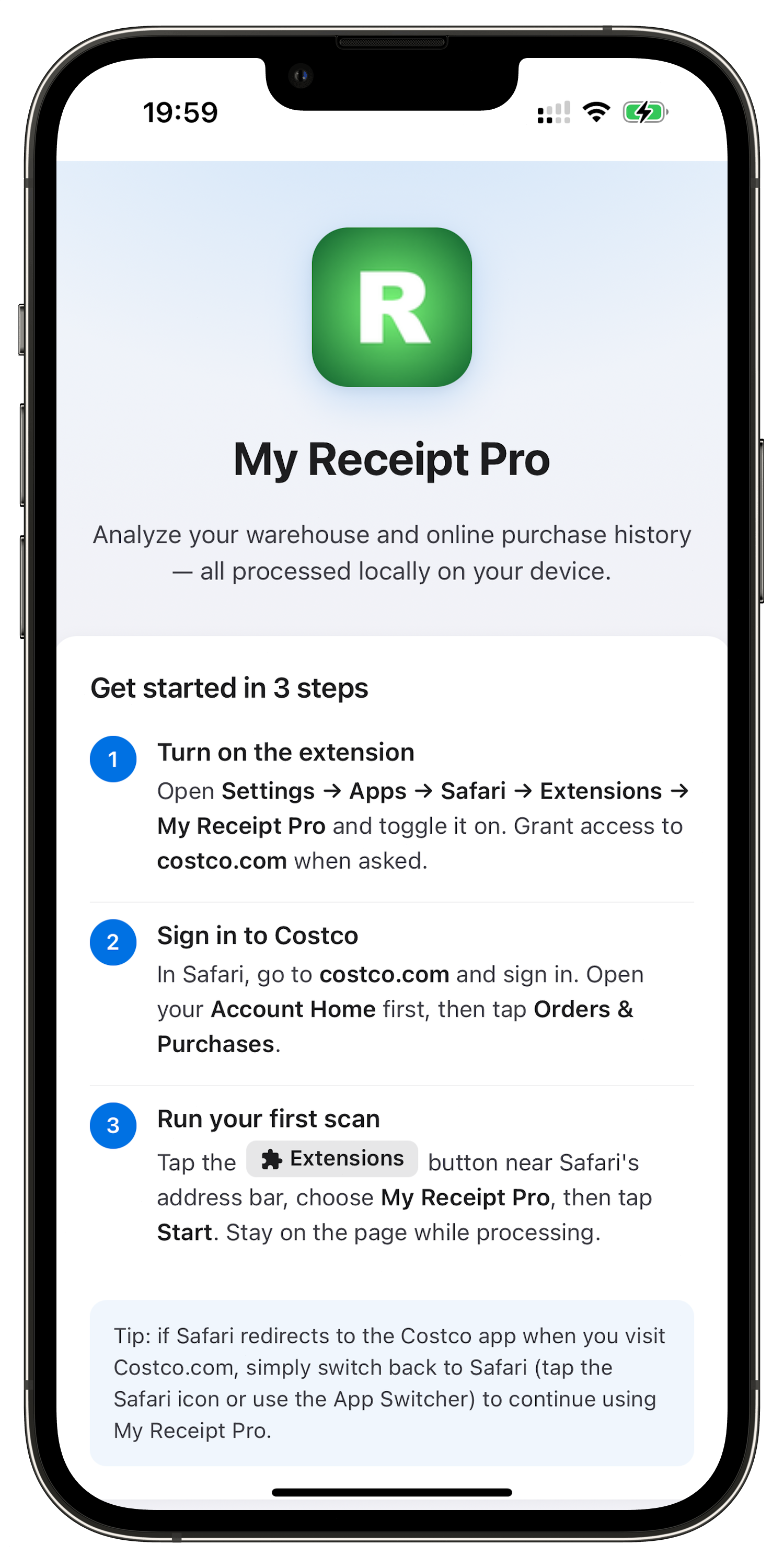
Step 1
Connect in seconds
Open Costco and start your scan — no setup, no accounts, nothing to configure.
Everything stays on your device.
✔ 100% Local Processing ✔ No Data Uploaded
Free Quick Overview included · Full Executive Analysis with MAX
Not affiliated with Costco Wholesale.
"Now I can download and export my warehouse and online receipts — all in one place." — Receipt Pro Max User
Analyze your purchases
Understand your Executive rewards
Track spending across the year
See how much you spend over the years
Track your purchases
and how your Executive rewards add up
Export all receipts to Excel
for full visibility into your spending
Available on Safari and Chrome
From first scan to full report — in three simple steps.
Step 1
Open Costco and start your scan — no setup, no accounts, nothing to configure.
Everything stays on your device.
Step 2
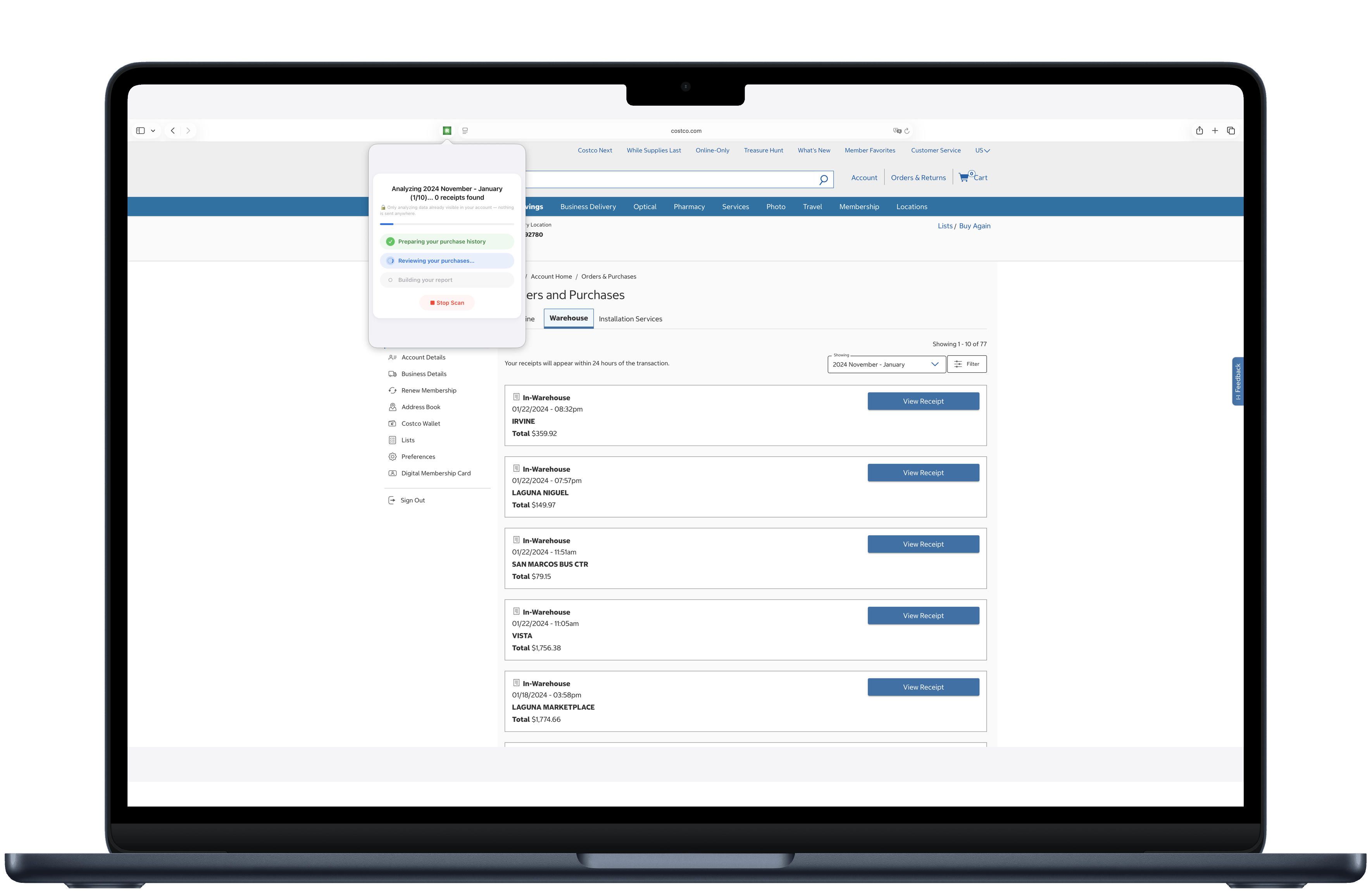
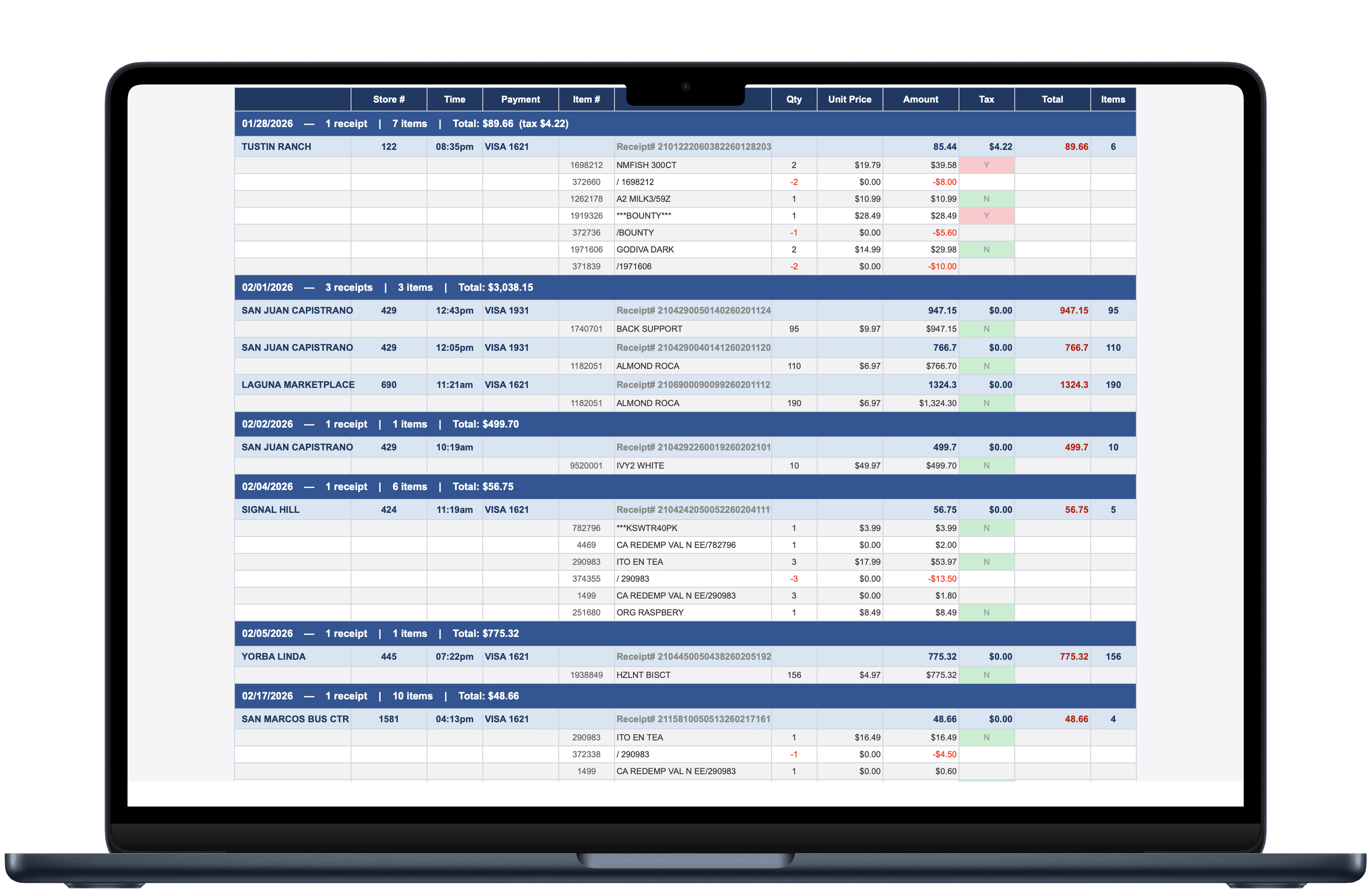
Every receipt, every item, every tax line — already in your account, now clearly organized in one place.
Step 3
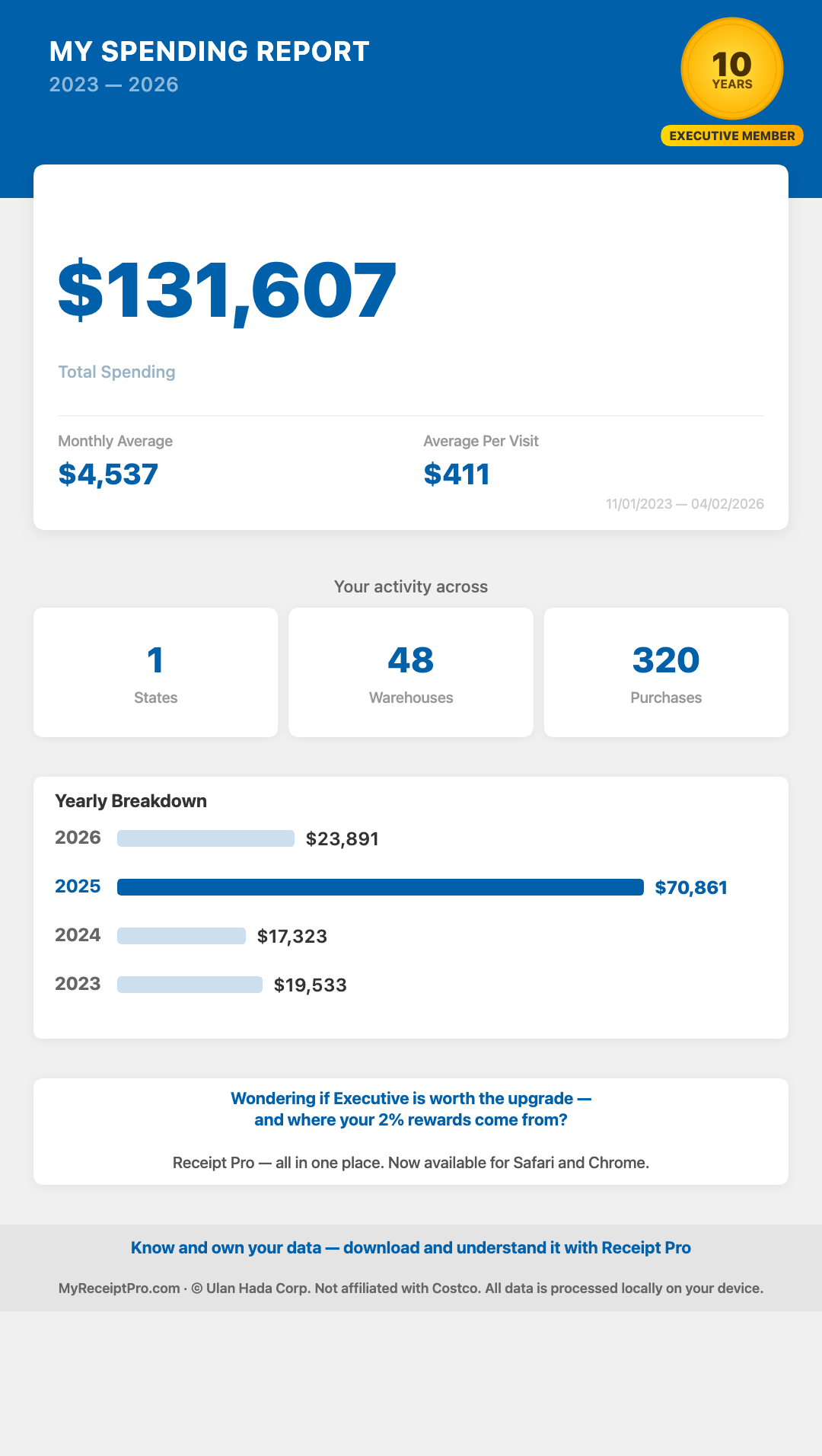
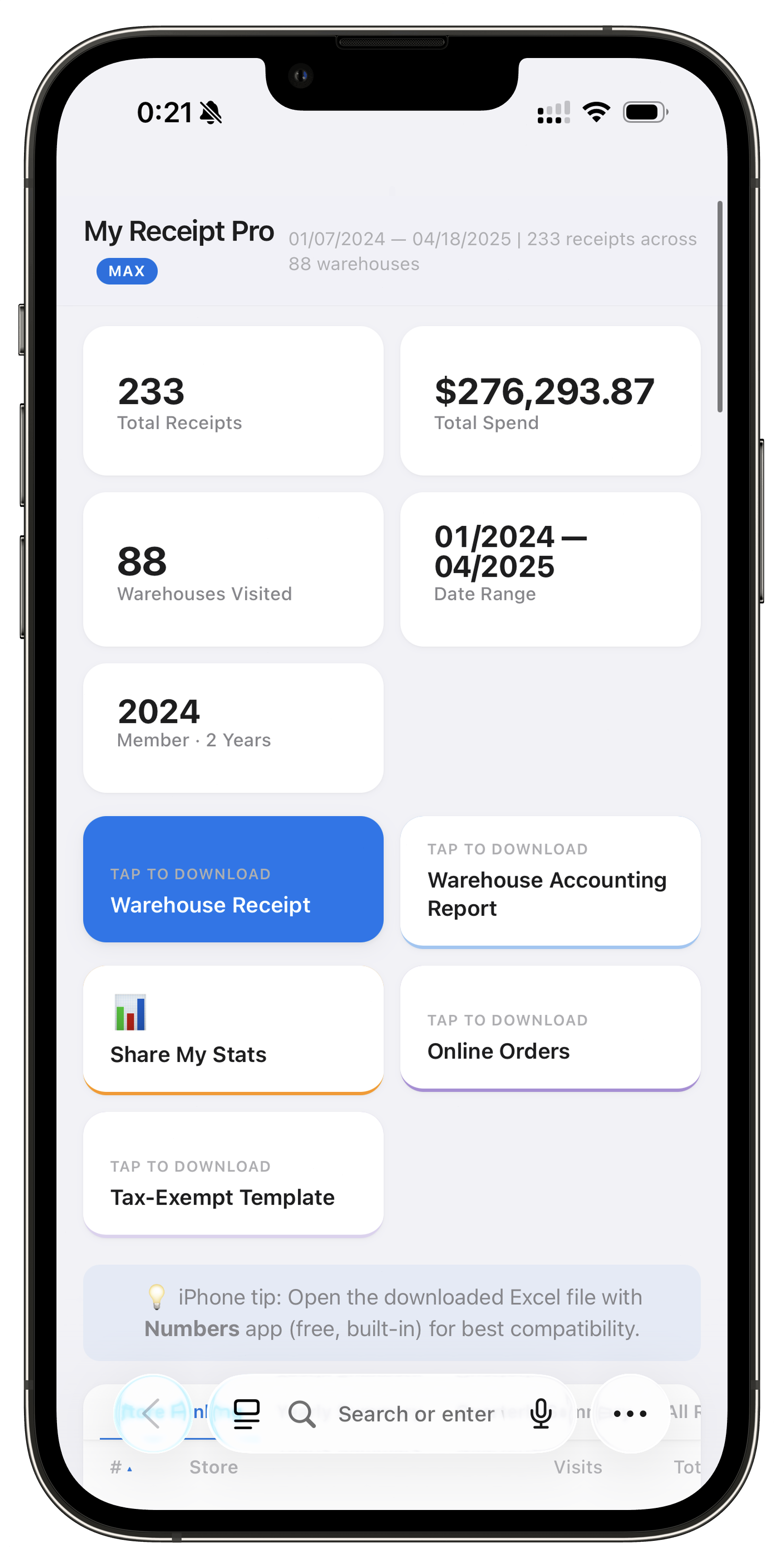
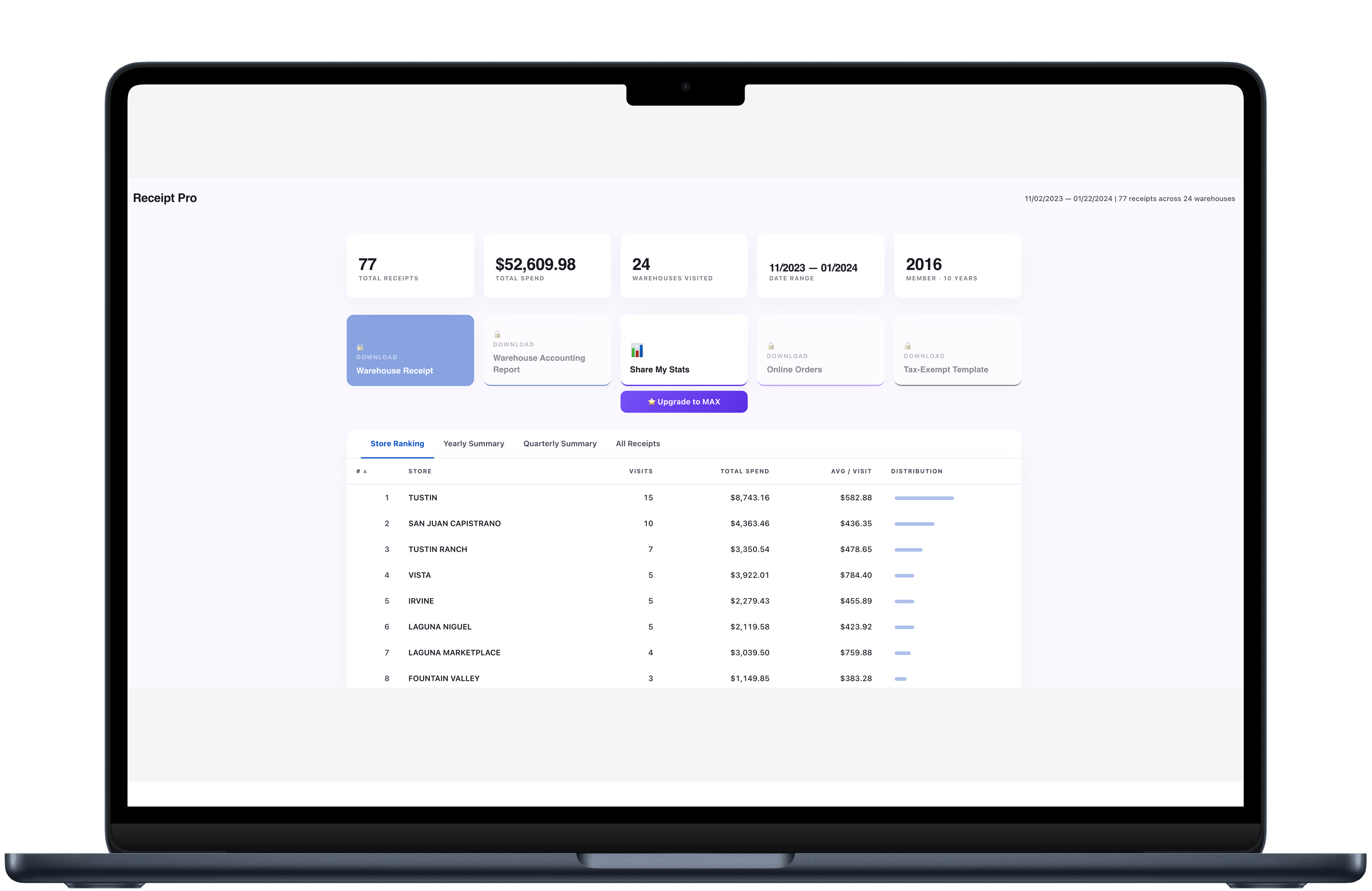
See your total spend, stores visited, and yearly breakdown — and export everything to Excel whenever you need it.
Perfect for Executive members, families, and anyone who shops at Costco regularly.
Check your store visits and total spending, to see if Executive member could benefit you.
Export your warehouse and online order details. Help you understand where that 2% cashback comes from.
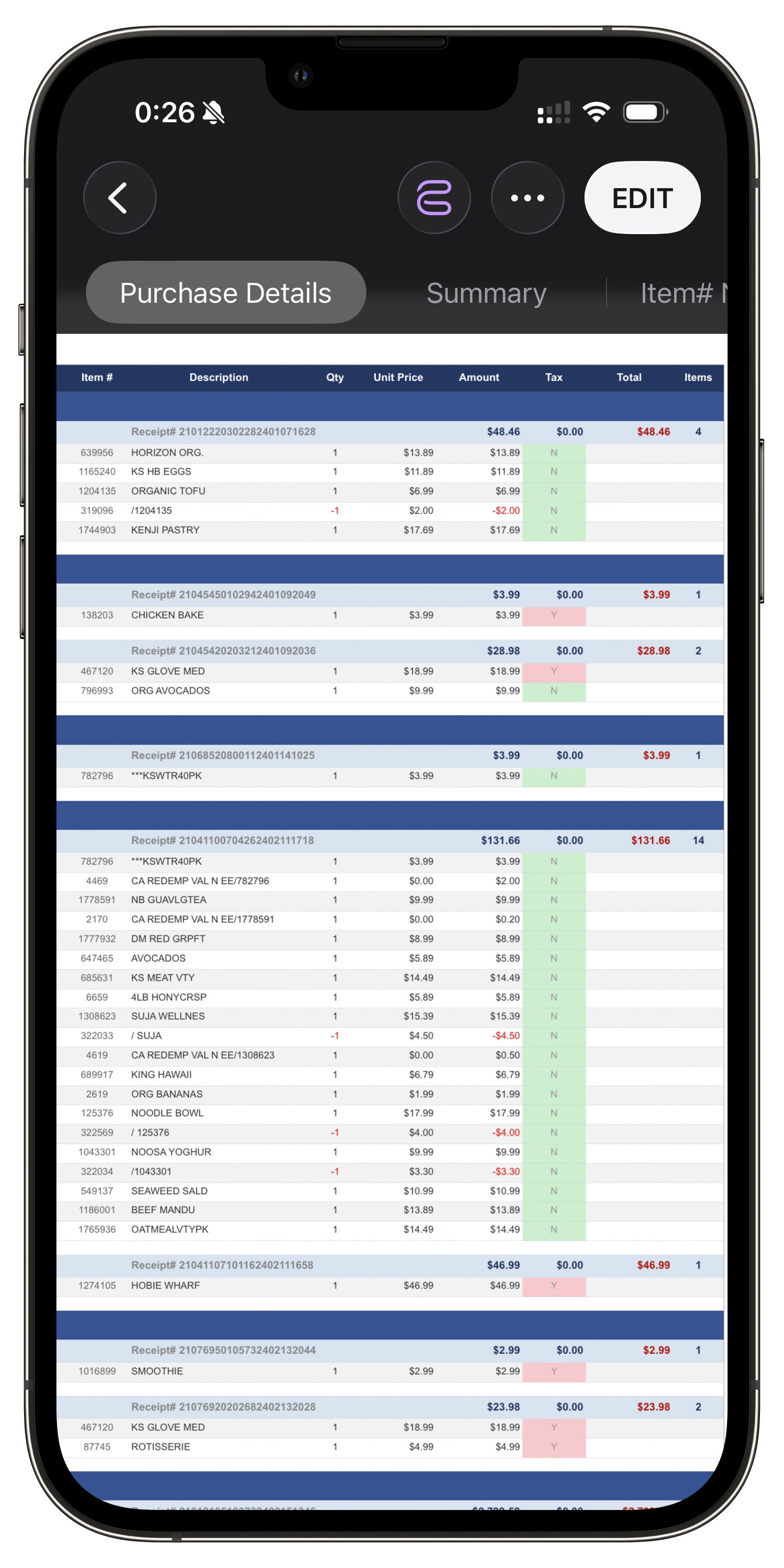
Get available line-item details for every receipt including item numbers, quantities, unit prices, and tax flags.
Get a complete picture of all your Costco purchases — both in-warehouse receipts and online orders in one place.
Professional styled spreadsheets with purchase details, per-card summaries, product breakdowns, and tax-exempt templates.
All processing happens locally on your device. Nothing is uploaded.
No cloud storage
Data stays in your browser
No personal data tracking
Nothing is uploaded
No login required
Install and start immediately
Processed entirely in your browser
No external servers involved
Designed for Executive Members who:
Quick Overview
Check your store visits and total spending, to see if Executive member could benefit you.
Executive Analysis
Export your warehouse and online order details. Help you understand where that 2% cashback comes from.


No. The extension reads data already visible in your account page. It never asks for or stores your login credentials.
No. All processing happens locally on your device. Receipt Pro has no backend server that receives user data. Your purchase history never leaves your browser.
Yes — if they appear in your Costco.com purchase history. Costco.com typically shows up to 2 years of in-warehouse purchase records.
Google Chrome (and Chromium-based browsers like Edge and Brave) and Safari on macOS. Install from the Chrome Web Store or Mac App Store.
Yes. If you're not satisfied with Receipt Pro MAX, contact us at support@myreceiptpro.com within 30 days of purchase for a full refund — no questions asked.
Yes. Receipt Pro analyzes your purchase history so you can see exactly where your 2% Executive rewards come from.
No. Receipt Pro is an independent tool and is not affiliated with, endorsed by, or connected to Costco Wholesale Corporation.
Choose your browser below. Free, no sign-up required.

New to extensions? Learn how to install Chrome extensions →
Add to Chrome — Free
New to extensions? Learn how to use Safari extensions →
Add to Safari — FreeAdd Receipt Pro from the Chrome Web Store or Mac App Store. No setup needed.
Go to Orders & Purchases while logged in to your Costco account.
Generate your Executive spending report — view, share, or export to Excel.